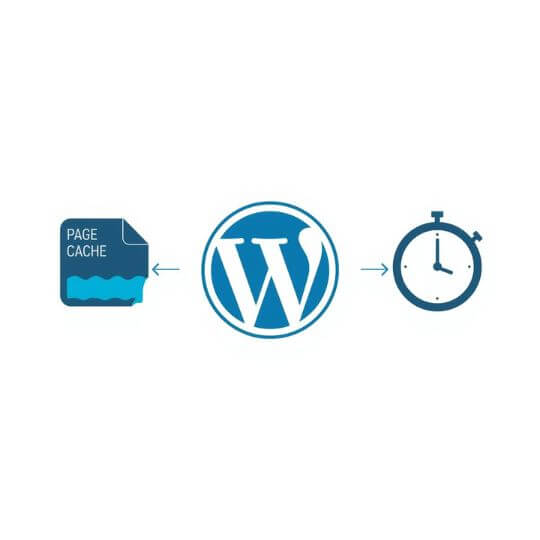
If your WordPress website feels slow before it even starts loading, the real culprit is usually TTFB (Time To First Byte). A high TTFB directly impacts SEO, Core Web Vitals, and overall user experience.
In this in-depth guide, you’ll learn how to reduce TTFB in WordPress using Cloudflare CDN and LiteSpeed server, one of the most powerful performance combinations available today.
What Is TTFB in WordPress?
TTFB (Time To First Byte) is the time taken by the server to respond with the first byte of data after a browser makes a request.
- DNS lookup time
- Server processing time
- PHP execution
- Database queries
- Cache response
Google recommends keeping TTFB under 500 milliseconds for better Core Web Vitals and search rankings.
Why TTFB Is High in WordPress
- No full-page caching enabled
- Slow or overloaded hosting
- Heavy themes and unnecessary plugins
- Unoptimized database queries
- No CDN or edge caching
Why Use Cloudflare + LiteSpeed?
Benefits of Cloudflare
- Global CDN with 200+ data centers
- Fast DNS resolution
- HTTP/3 and TLS optimization
- DDoS and firewall protection
Benefits of LiteSpeed Server
- High-performance event-driven web server
- Built-in full-page caching
- Faster PHP execution using LSAPI
- Native WordPress optimization
Step-by-Step: How to Reduce TTFB
1. Enable LiteSpeed Cache Plugin
If your hosting runs on LiteSpeed, install and activate the LiteSpeed Cache for WordPress plugin.
- Enable Cache: ON
- Cache Mobile: ON
- Cache Logged-in Users: OFF
- Cache REST API: ON
2. Enable Full Page Caching
Full-page caching ensures that HTML pages are served instantly without executing PHP for every request.
3. Use Cloudflare DNS
Switch your domain nameservers to Cloudflare to reduce DNS lookup time, which is a critical part of TTFB.
4. Configure Cloudflare CDN
- Enable HTTP/3
- Enable 0-RTT connection resumption
- Set SSL mode to
Full (Strict) - Enable Always Use HTTPS
5. Create Cloudflare Cache Rules
Configure Cloudflare to cache your entire site at the edge, allowing visitors to receive HTML directly from the nearest CDN location.
6. Enable QUIC.cloud CDN (Optional)
LiteSpeed’s QUIC.cloud CDN provides HTML edge caching similar to Cloudflare APO and works seamlessly with LiteSpeed Cache.
7. Optimize PHP for LiteSpeed
- Use PHP 8.1 or newer
- Enable OPcache
- Increase PHP memory limit
8. Reduce Database Load
- Enable Redis or Memcached object caching
- Remove unused plugins
- Clean post revisions and expired transients
9. Control WordPress Heartbeat
Reduce Heartbeat API frequency or disable it on the frontend to avoid unnecessary server requests.
10. Delay Third-Party Scripts
Load analytics, ads, and external fonts after user interaction to minimize backend blocking.
TTFB Before vs After Optimization
| Metric | Before Optimization | After Optimization | Impact on SEO | Server Load | User Experience |
|---|---|---|---|---|---|
| TTFB | 1s – 1.5s | 150–300ms | Improved | Reduced | Faster |
| Core Web Vitals | Poor | Good | Higher Rankings | Optimized | Smooth |
How to Measure TTFB Correctly
- Chrome DevTools → Network tab → Waiting (TTFB)
- GTmetrix
- WebPageTest
Always test from multiple locations for accurate results.
Final Checklist
- LiteSpeed Cache enabled
- Cloudflare DNS active
- CDN edge caching configured
- PHP optimized
- Database optimized
- Object cache enabled
Conclusion
Reducing TTFB in WordPress is primarily about server-side optimization. Combining Cloudflare CDN with LiteSpeed server is one of the most effective ways to achieve consistently low TTFB.
Achieving a TTFB below 300ms can dramatically improve SEO rankings, AdSense RPM, and user engagement.