Making an image clickable is a common requirement in web development. You may want users to click an image to navigate to another page, open an external link, or download a file. HTML provides a simple and clean solution without JavaScript.
Basic Method: Wrap Image Inside an Anchor Tag
The recommended way to make an image clickable is to wrap the <img> tag inside an <a> tag.
<a href="https://wpdevelopertips.in">
  <img src="image.jpg" alt="WPDeveloperTips">
</a>
Open Clickable Image in a New Tab
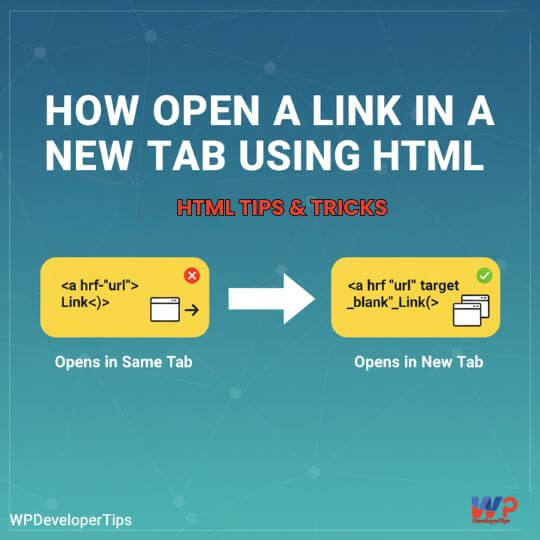
To open the linked image in a new tab, use target="_blank" with security attributes.
<a href="https://wpdevelopertips.in" target="_blank" rel="noopener noreferrer">
  <img src="image.jpg" alt="Visit WPDeveloperTips">
</a>
Make an Image Clickable for File Download
You can also use images as download buttons using the download attribute.
<a href="brochure.pdf" download>
  <img src="download.png" alt="Download Brochure">
</a>
Clickable Image with Pointer Cursor
Adding a pointer cursor improves user experience.
<a href="/contact">
  <img src="contact.png" alt="Contact Us" style="cursor: pointer;">
</a>
Accessibility Best Practices
Always include descriptive alt text that explains the action performed by clicking the image.
<a href="/pricing">
  <img src="pricing.png" alt="View Pricing Plans">
</a>
SEO Tip
- Search engines treat clickable images as links
- The
altattribute works like anchor text - Use meaningful keywords in
alttext
Common Mistakes to Avoid
Using JavaScript for Navigation
<img src="image.jpg"
     onclick="window.location='page.html'">
This approach is not recommended due to accessibility and SEO issues.
Missing Alt Attribute
<a href="page.html">
  <img src="image.jpg">
</a>
Responsive Clickable Images
Ensure images are responsive on mobile devices.
<a href="page.html">
  <img src="image.jpg"
       alt="Sample Image"
       style="max-width:100%; height:auto;">
</a>