
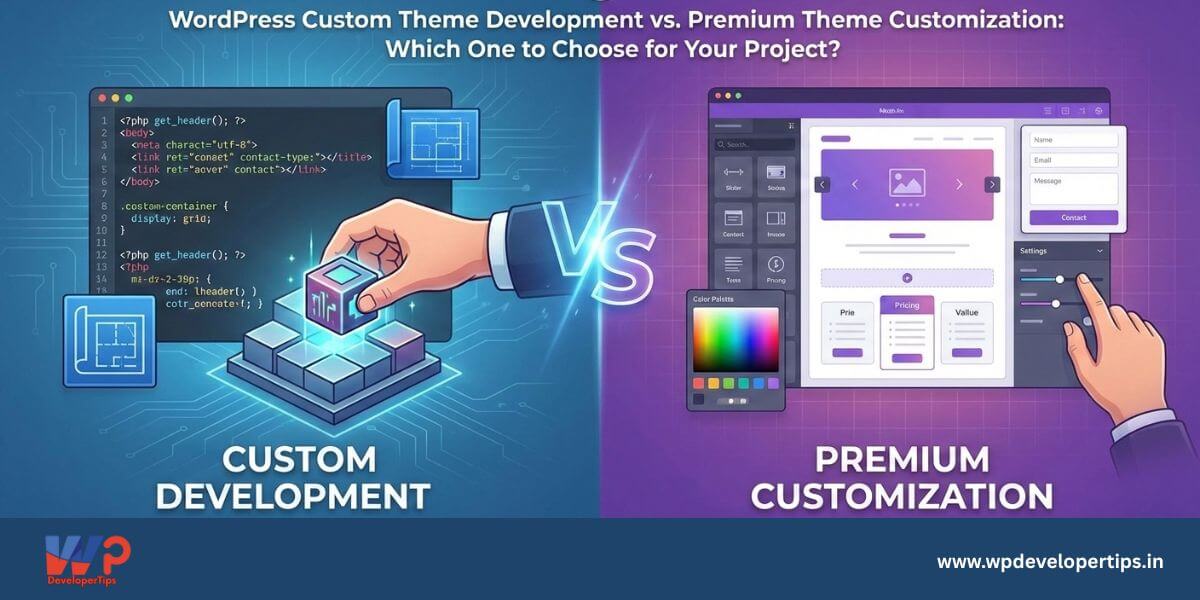
You’re building a new WordPress website, and you’ve hit a crossroads: Should you invest in a pre-built premium theme and customize it, or should you embark on the journey of developing a custom theme from scratch? This dilemma is common, and while both approaches have their staunch advocates and inherent challenges, the “best” choice isn’t universal; it depends entirely on your project’s unique needs, budget, timeline, and the skills available to you. In this article, we’ll dive deep into the pros and cons of both methods to help you make an informed decision for your next WordPress project.
Understanding the Landscape
When we talk about premium theme customization, we’re referring to purchasing a pre-designed, feature-rich theme from a marketplace like ThemeForest or a developer like Kadence or GeneratePress, and then adapting it to your specific requirements. This typically involves using the theme’s built-in options panels, visual page builders like Elementor or Divi, and perhaps adding some custom CSS. On the other hand, custom theme development means building a WordPress theme from the ground up. You start with a blank slate or a very lightweight starter theme, leveraging your knowledge of PHP, HTML, CSS, JavaScript, and various WordPress APIs to create something entirely unique.
The Case for Premium Theme Customization
Opting for a premium theme can get your site up and running much faster, making it ideal for tight deadlines, basic brochure sites, or minimum viable products (MVPs). The initial cost is typically a one-time fee, which is significantly less than hiring a developer for a custom build, appealing to budget-conscious projects. These themes often come packed with features, demos, layouts, and integrations like WooCommerce compatibility, providing a wealth of functionalities without custom coding. Plus, reputable premium themes usually offer extensive documentation, active support forums, and large user communities, which can be invaluable for less experienced users seeking quick troubleshooting. Their user-friendly options panels and page builders also allow non-developers to achieve sophisticated designs visually.
However, premium themes often come with their own set of challenges. They can suffer from code bloat, packing in excessive CSS, JavaScript, and unnecessary functionalities to appeal to a broad audience. This can slow down your site, negatively impacting user experience and SEO. You’re also often limited by the theme’s inherent structure, making it difficult to achieve truly unique designs or forcing complex workarounds. This can lead to a “generic” look or frustration when a specific design vision can’t be realized. Over-reliance on a theme’s custom shortcodes or page builder can also lead to vendor lock-in, making future theme switches a monumental and often content-breaking task. Furthermore, poorly coded or unmaintained premium themes can introduce security vulnerabilities, and their updates might be slower or eventually cease, posing a significant risk to your website’s integrity. Finally, the “one-size-fits-all” approach means the theme might include features you never use, adding unnecessary complexity to your admin dashboard and increasing code size, which can make the site harder to manage and debug.
The Case for Custom Theme Development
Developing a custom theme grants you pixel-perfect design and unlimited flexibility, giving you complete control over every element and ensuring your design vision is realized precisely. This is ideal for brand-focused projects or complex web applications. Since you only include the necessary features and code, custom themes result in significantly lighter and faster-loading websites, making them perfect for performance-critical sites or those driven by SEO. Building from scratch also enhances security as you reduce the risk of inheriting vulnerabilities from bloated third-party code. Your site will be more scalable and maintainable because you understand every line of code, making it easier to debug and adapt as your project grows. There’s also no vendor lock-in, meaning your content remains independent of any specific theme’s features, simplifying future redesigns or migrations. You retain full control over features, building only what’s needed and avoiding unnecessary clutter in the backend, which streamlines content management for clients.
Despite these advantages, custom theme development demands a higher initial cost and time investment. It requires significant upfront time and a larger budget for development resources, which can be prohibitive for small businesses or those with tight deadlines. This approach also necessitates advanced development skills, including a solid understanding of PHP, HTML, CSS, JavaScript, WordPress theme development best practices, and potentially block development. Consequently, it’s not feasible for beginners or those without access to skilled developers. The longer development cycle means every feature and design element must be coded, naturally extending the launch timeline. Finally, you’ll be self-reliant for support and maintenance, meaning you’re responsible for all ongoing code maintenance, updates, and bug fixes for your custom code, which requires continuous developer resources.
Making the Right Choice: Key Decision Factors
To help you decide, consider these critical questions:
- Budget: What is your realistic budget for design and development?
- Timeline: How quickly do you need the website launched?
- Design Uniqueness: How specific and unique is your design vision? Is a generic template acceptable?
- Performance Needs: Is blazing fast performance (e.g., 100/100 PageSpeed score) a critical requirement?
- Technical Skills & Resources: Do you have the in-house development expertise or the budget to hire a skilled WordPress developer/agency?
- Future Scalability: Do you anticipate significant future changes, integrations, or high traffic demands?
- Content Complexity: Are you building a simple blog or a complex web application with custom data?
- Maintenance & Support: Are you prepared to handle ongoing code maintenance, or do you prefer leveraging theme provider support?
Conclusion
There’s no universally “better” option between customizing a premium theme and developing a custom one. Choose Premium Theme Customization if you have a limited budget, a tight deadline, don’t require a highly unique design, and prioritize speed of deployment with readily available features. Choose Custom Theme Development if you demand pixel-perfect design, require ultimate performance and scalability, have a unique vision, possess the necessary development resources, and are investing in a long-term digital asset. Ultimately, your decision should align with your project’s specific goals and constraints. Carefully weigh the pros and cons, and choose the path that empowers you to build the most effective and sustainable WordPress website for your needs.
Which approach do you prefer for your projects and why? Share your insights in the comments below!


1 thought on “WordPress Custom Theme Development vs. Premium Theme Customization: Which One to Choose for Your Project?”
Prefer Custome WordPress Theme