Introduction
Before diving into coding, setting up the right tools is essential for an efficient web development workflow. This article covers the essential tools and software needed to start your web development journey.
Text Editors & Integrated Development Environments (IDEs)
A good text editor or IDE makes coding easier and more efficient. Some popular choices include:
- VS Code – Lightweight, feature-rich, and supports extensions.
- Sublime Text – Fast and customizable with plugins.
- Atom – Open-source and user-friendly.
- WebStorm – Powerful but paid, ideal for JavaScript development.
Version Control System
Version control helps track changes and collaborate on projects. The most widely used system is:
- Git – A distributed version control system.
- GitHub/GitLab/Bitbucket – Platforms to host and manage repositories.
Browsers & Developer Tools
Modern browsers come with built-in tools for debugging and optimizing web pages:
- Google Chrome DevTools – Inspect elements, debug JavaScript, and analyze performance.
- Firefox Developer Edition – Advanced debugging tools for CSS and JavaScript.
- Safari Web Inspector – For Apple ecosystem development.
Frameworks & Libraries
Using frameworks and libraries can speed up development:
- Bootstrap – A responsive CSS framework.
- React, Angular, Vue.js – JavaScript frameworks for building dynamic UIs.
- Laravel, Django, Express.js – Backend frameworks for efficient server-side development.
Database Management Tools
Managing databases efficiently is crucial:
- MySQL Workbench – GUI for MySQL database management.
- phpMyAdmin – Web-based interface for MySQL.
- PostgreSQL & pgAdmin – Advanced open-source database system.
Hosting & Deployment
To make your website live, you need hosting and deployment services:
- cPanel & Shared Hosting – Easy-to-use hosting for beginners.
- Cloud Hosting (AWS, DigitalOcean, Linode) – Scalable hosting solutions.
- Netlify & Vercel – Fast deployment for frontend projects.
Conclusion
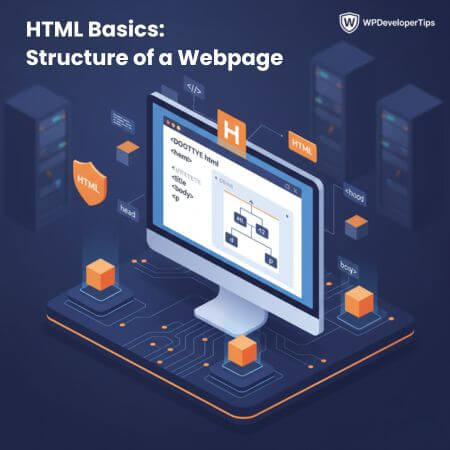
Setting up the right tools is the first step towards becoming a web developer. In the next article, we will dive into HTML Basics: The Structure of a Webpage.